It will be upsetting when you can’t find a download button on a website to download the video you like. Most popular video-sharing websites such as YouTube don’t provide the download option. But there are third-party tools you can use to download video from the internet when there isn’t a download option.
You can find many available video downloaders on Google, including online tools and desktop programs. However, not all of them are as reliable and useful as they claim. So, we will directly share a good video downloader – Online Video Downloader, to help download videos from the internet.
Get to Know the Video Downloader – Online Video Downloader
Online video-downloader is a desktop program available on both Windows and Mac computers. It’s specially designed to help people download videos and audio from online websites like YouTube, Facebook, Vimeo, and SoundCloud. The installation process doesn’t bundle any spyware. You don’t need to worry about the data safety of your computer.
The interface is clean and intuitive. You can download the videos from the internet with a few clicks. Online Video Downloader doesn’t provide many output formats, it might be the only drawback of this video downloader. You’re able to use the free trial version to download online videos.
Gratis downloaden Gratis downloaden
3 Steps to Download Videos/Audio from the Internet for Free
Tip: Not all of the websites are supported by Online Video Downloaders. If you have videos that you want to download from a website, you can copy and paste the URL to Online video-downloader to have a try.
Stap 1. Kopieer en plak de URL.
As we said before, the trial version of Online Video Downloader allows you to download videos for free.
Gratis downloaden Gratis downloaden
Installeer het programma en open het. Open vervolgens de video die je wilt downloaden en kopieer de URL. Plak de URL in het programma en klik op de knop 'Analyseren'.
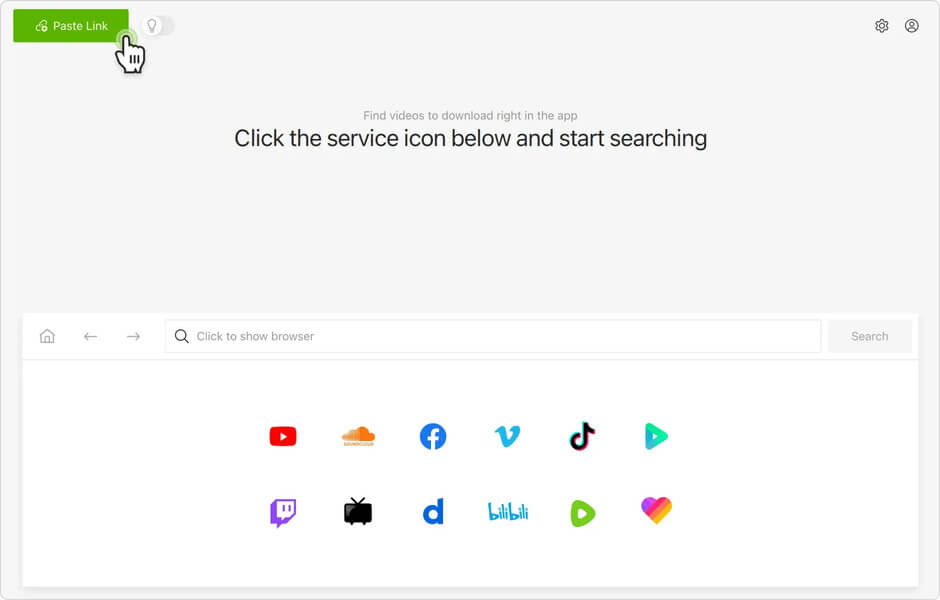
Step 2. Choose Output Format
After the program finishes analyzing the video, it will pop up a window where you need to choose the output format. Now Online Video Downloader only offers 1 output video format – MP4 and 2 output audio formats – MP3 and Webm.
Choose the output video format you need and click on the “Download” button.
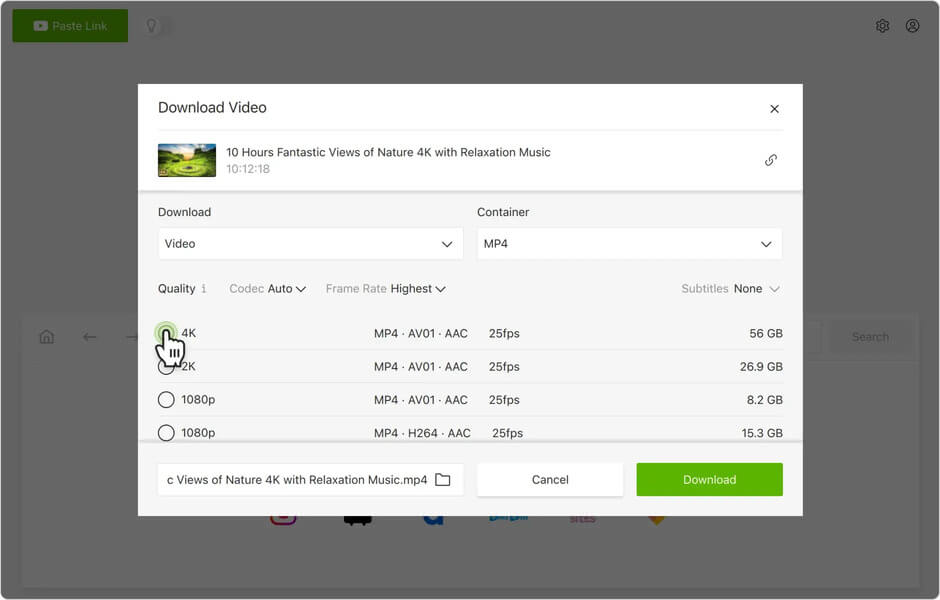
Step 3. Wait for the Downloading Process Finished
Now, this program will automatically start downloading this video for you. Online Video Downloader supports batch downloading. So you can continue the steps above to download more videos.
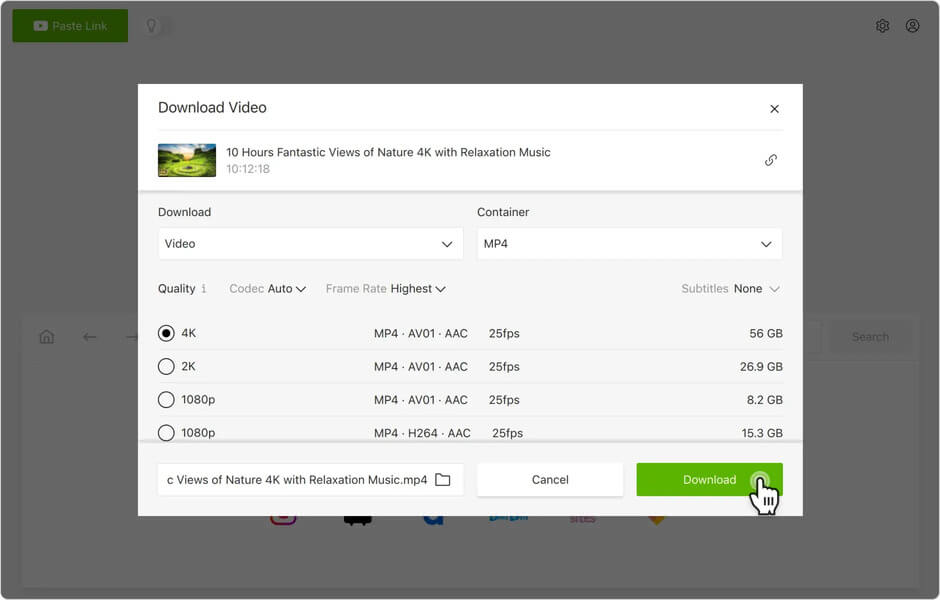
What are the 3 steps to download videos from the Internet using Online video-downloader ? Compared with the online video downloader, Online Video Downloader has more stable performance and fast downloading speed.
Gratis downloaden Gratis downloaden
Hoe nuttig vond u dit bericht?
Klik op een ster om een beoordeling te geven!
Gemiddelde beoordeling / 5. Stemmentelling: